
Video surveillance has always lived between two extremes: the desire to see the picture right now, and the desire to see the picture perfectly.
For four decades, engineers have argued over which protocol rules this universe: UDP — fast, bold, and unapologetically reckless, or TCP — careful, reliable, and obsessively meticulous.
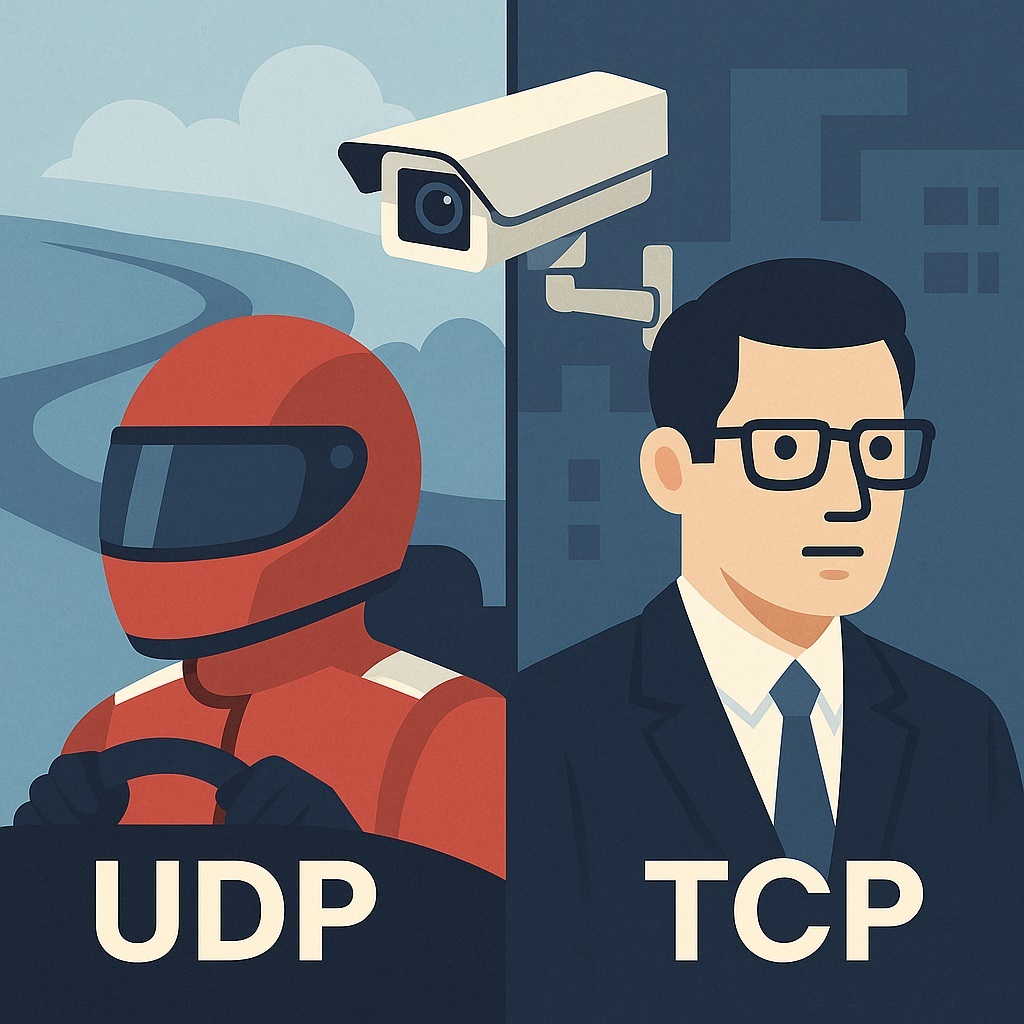
It’s basically a race car driver arguing with an accountant. One delivers data fast. The other delivers every last byte.
And in CCTV, these two characters still operate side by side because almost no real-world scenario needs only speed or only reliability. Surveillance is always about balance.
A Bit of History: From ARPANET to Apartment Block Cameras
When TCP and UDP were conceived in the ’70s and ’80s, “video surveillance” meant analog tape loops and grainy monitors. Nobody imagined megapixel streams flying across global networks at 30 frames per second.
Yet somehow, the protocols’ core philosophies turned out to be a perfect match for the future of CCTV.
TCP Came First (1974–1978)
TCP’s mission was simple: make the internet dependable even when the network behaves like a chaotic teenager.
It had to:
- guarantee packet delivery
- detect and recover lost data
- manage congestion
- establish a client–server connection
- stay stable even on shaky links
In other words, TCP was built to be the polite diplomat of internet traffic.
Then Came UDP (1980)
UDP, meanwhile, was created out of rebellion:
“Give us a way to send data fast and without ceremony.”
So UDP:
- doesn’t check delivery
- doesn’t create connections
- doesn’t restore missing packets
- doesn’t control congestion
If TCP is “certified mail with tracking,” UDP is a “postcard dropped in a mailbox while running.”
Who could’ve imagined that, 40 years later, the entire CCTV industry would run on this odd couple?
Why CCTV Needs Both Protocols
Because surveillance is a weird cocktail of conflicting requirements:
- you need both speed and reliability
- sometimes the network is great, sometimes it’s garbage
- audio and video must stay in sync
- and the system has to survive congestion without collapsing
Different tasks demand different tools.
UDP in Video Surveillance: The Low-Latency Hero
UDP dominates wherever real-time matters.
Where it’s used:
- RTSP over UDP (classic for IP cameras)
- RTP streams in real-time systems
- WebRTC (via SRTP)
- Video intercoms, panic cameras, PTZ streams with return video
Why engineers choose UDP:
1. Minimal delay
No acknowledgments.
No waiting.
A packet goes out — and that’s it.
Operators see events happening now, not 5 seconds later.
2. The stream stays alive even on bad connections
TCP pauses when a packet goes missing.
UDP ignores losses — the picture may stutter, but the stream stays alive.
3. Less overhead
UDP saves roughly 15–20% bandwidth vs. TCP — priceless for weak links.
But there are trade-offs.
The downside of UDP
- Lost packets are gone forever
- No built-in congestion control
- Heavy packet loss can tear the video apart, especially at high bitrates
TCP in Video Surveillance: The Reliable Accountant
TCP is used when accuracy and completeness matter:
- RTSP over TCP (Interleaved mode)
- ONVIF/HTTP snapshots and metadata
- Cloud recording
- Archive playback
- Analytics, triggers, PTZ commands
In mission-critical systems, TCP is non-negotiable.
Why engineers pick TCP:
1. Perfect data reproduction
Essential for archives.
Nobody wants a recording of a crime scene to look like Minecraft.
2. Automatic recovery
Lost packet? TCP brings it back.
3. Congestion control
If the network is choking, TCP slows down gracefully.
UDP just throws packets into the void.
But TCP has its own flaws
- High latency, especially when packets need retransmission
- Painful performance on weak Wi-Fi or LTE
- Risk of “hanging” streams when one side stops responding
How Firewalls See TCP and UDP — and Why CCTV Cares
Firewalls love order.
And they love blocking anything that looks chaotic.
TCP looks civilized
- predictable ports (80, 443, 554)
- clean handshake
- stateful connections
Firewalls rarely block TCP accidentally.
UDP looks suspicious
UDP is stateless.
No sessions.
Just bursts of packets — like someone firing data from a paintball gun.
To a firewall, UDP resembles:
- DoS traffic
- video floods
- malware streams
So:
- NAT devices may drop return packets
- firewalls kill UDP after short timeouts
- corporate networks often block UDP entirely
This is why WebRTC constantly performs STUN/TURN gymnastics and sometimes ends up relaying through TURN — slow and expensive.
Historical Footnote: UDP Was a Hacker Favorite
The ’90s cyber-attacks — Smurf, Fraggle, UDP “cannons” — all abused UDP.
Corporate security teams developed a deep suspicion of it.
That paranoia survived.
CCTV systems still deal with it today.
Which Protocol Should You Use? The Real Answer: Both
Use UDP if:
- low latency is essential
- you're watching live video
- it’s an intercom or alarm camera
- the link is weak but stable
- your VMS can recover streams on its own
Use TCP if:
- you're recording archives
- you need perfect integrity
- the channel is good
- the video is critical for investigations
- you're sending snapshots or metadata
- you must pass through corporate firewalls
What Engineers Actually Do in Real Deployments
Most setups look like this:
- Live View → UDP / SRTP / WebRTC
- Archive / Cloud Upload → TCP / HTTP / HTTPS
- Mobile → UDP if possible, TCP if captive network
- Bad networks → TCP fallback
In simple terms:
- UDP is for speed.
- TCP is for reliability.
Some cameras even switch to TCP automatically if UDP gets blocked.
Conclusion: Two Protocols, Two Philosophies
TCP and UDP are two schools of thought in surveillance.
- TCP says: “Video must be correct.”
- UDP says: “Video must be now.”
Together, they shaped what IP cameras have become today - fast, responsive, resilient tools that work in construction sites, data centers, metro stations, smart homes, and apartment hallways.
Video surveillance doesn’t choose between UDP and TCP. It uses both — because only together do they create a complete security ecosystem.