
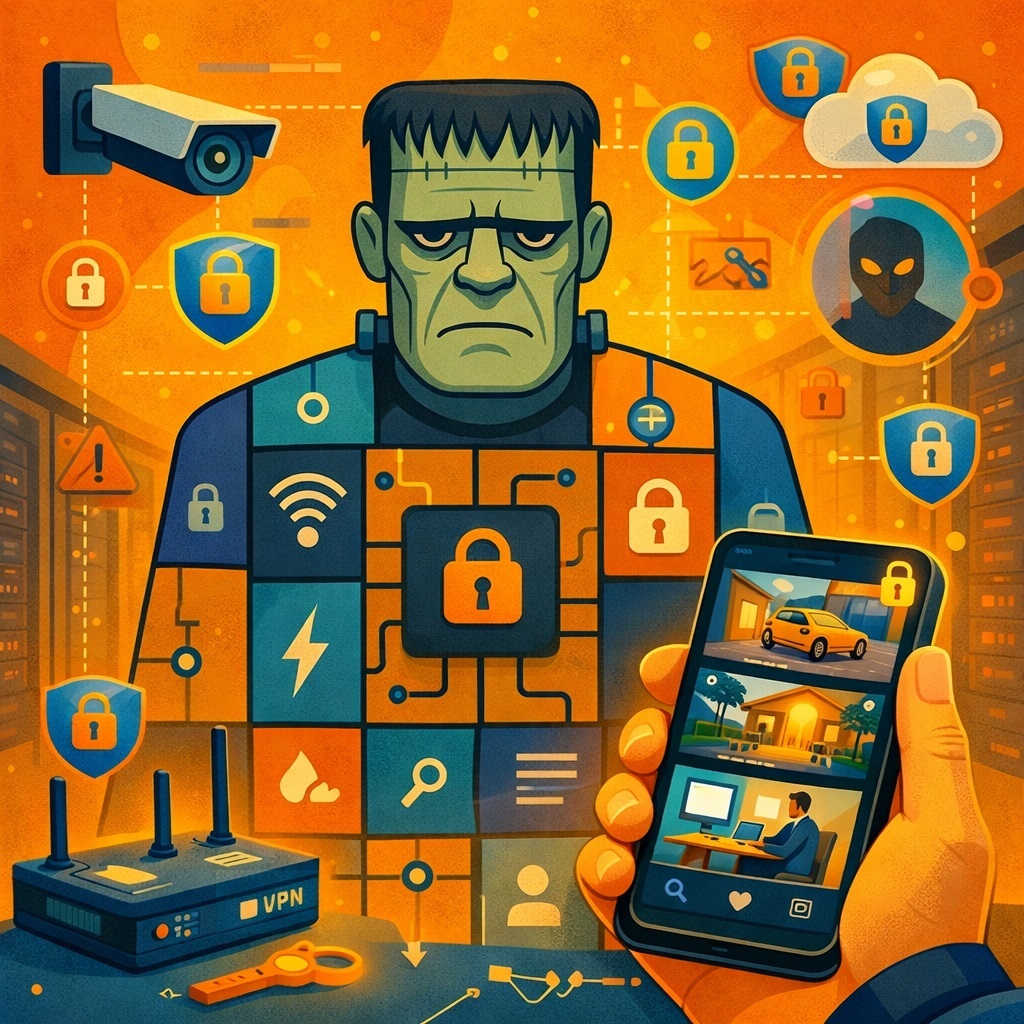
Remote access to IP cameras in 2026 is basically a dark comedy with a glossy trailer. Marketing promises the scene: you’re in a café, sipping a latte, you swipe once, and boom, your warehouse is calm, your office is alive, and your dog is peacefully sleeping on the couch it’s definitely not allowed on.
Reality has a different cast: a router with UPnP enabled, a couple of ancient cameras running a web UI from 2012, an old NVR that nobody dares to firmware-update (what if it never comes back?), and a full orchestra of botnets, scanners, and open-device search engines pacing the internet like bored security guards, methodically checking if there is anything interesting here, preferably without a password.
Remote access isn’t evil by definition. It’s normal. Businesses need visibility, homeowners want to check apartments and summer houses (and the nanny with the baby), technicians need to monitor infrastructure. The evil begins the moment the architecture is built “quickly, like the camera manual says,” because camera manuals tend to illustrate exactly what you absolutely shouldn’t be doing anymore in 2026.
Reality has a different cast: a router with UPnP enabled, a couple of ancient cameras running a web UI from 2012, an old NVR that nobody dares to firmware-update (what if it never comes back?), and a full orchestra of botnets, scanners, and open-device search engines pacing the internet like bored security guards, methodically checking if there is anything interesting here, preferably without a password.
Remote access isn’t evil by definition. It’s normal. Businesses need visibility, homeowners want to check apartments and summer houses (and the nanny with the baby), technicians need to monitor infrastructure. The evil begins the moment the architecture is built “quickly, like the camera manual says,” because camera manuals tend to illustrate exactly what you absolutely shouldn’t be doing anymore in 2026.
Historically, the story started simple: camera or recorder, router with NAT, user who wants to reach the gear from outside. The manufacturer writes the classic spell in the manual: forward a port, enable dynamic DNS, enter a domain name—congratulations, you can log into your camera from anywhere on Earth. In theory, it’s convenient: your ISP changes the public IP, the domain stays the same, and even if you’re not a networking person, it feels magically easy. But the internet learned a few things in the last decade. Now every open port isn’t a private door into your system—it’s a billboard: “Here’s a device at this address. Please come say hi.” And people do. Sometimes more often than the owner. In a parallel universe where humans genuinely enjoy security, remote access is built carefully: via VPN, via a cloud service with an outbound tunnel, via encrypted connections and tight ACLs. In our universe, we still have setups where a camera sits on the internet like a tiny website - except without HTTPS and without any concept of Zero Trust.
The problem isn’t that remote access is inherently dangerous. The problem is the trifecta: lazy settings, outdated hardware, and the stubborn mindset of “it works, why touch it?” Surveillance is especially vulnerable here: cameras and NVRs are deployed for years, often with zero ongoing maintenance—“don’t touch it unless it breaks.” Firmware stays outdated, logins like admin and passwords like 123456 somehow survive into modern history, like a cursed artifact nobody dares to bury. Add the widespread love for “fast remote” via dynamic DNS plus port forwarding, and you get a world where remote viewing is a feature for the owner and a ready-made front door for an attacker with a fully designed UI. The irony is brutal: the same technologies meant to simplify the user’s life also simplified attack automation. Today, finding open cameras can be nearly as easy as finding new videos on YouTube.
That’s how you end up thinking “reliable remote access to IP cameras” must be expensive, complicated, and only for corporations with badge-controlled coffee machines. In reality, it’s less dramatic—just less lazy. Yes, you’ll need to give up certain conveniences like “type a domain name and you’re inside.” Yes, you’ll have to remember words like “tunnel,” “VPN,” “encryption,” and “authorization.” But you’ll also stop playing the lottery called: “Did my recorder join a botnet while I was checking the parking lot?” And modern options are finally more sane: classic VPNs, or cloud services like SmartVision, where an on-site client establishes a protected outbound channel to the cloud, and the user connects through an authorized interface—without exposing a single port to the open internet. But to appreciate why that’s better, you have to look the old-school monster in the eyes first.
DDNS + port forwarding: a “smart intercom” with no door
The most common scheme still living in camera and NVR manuals is both primitive and terrifying. On site: a router with NAT; behind it: cameras and maybe an NVR. The user wants remote viewing. Step one: forward ports—80/8080 for the web UI, 554 for RTSP, sometimes something weird for “mobile access.” Step two: attach an abstract dynamic DNS service so instead of a changing public IP you type something cute like mycctv.exampleddns.com. The router or NVR periodically tells the DDNS service, “My external IP is now X,” the DNS record updates, and anyone who knows the domain and port can reach your camera interface. Beautiful? In 2010—yes. In 2026—no.
Technically, dynamic DNS is innocent. It’s just a way to map a changing IP to a stable name. The moment you combine DDNS with port forwarding, though, you don’t just make the device reachable - you make it predictably reachable. After that, everything depends on three things: firmware quality, password strength, and the imagination of whoever knocks next. Often imagination isn’t required. A standard credential-guessing script or an old vulnerability is enough—the kind the vendor once posted a “please update urgently” note about, which nobody followed because the system “worked.” For attackers, this is a dream target: camera and NVR web interfaces are usually simple; login pages are basic; MFA is rare; at best there’s a CAPTCHA that can be worked around; at worst there’s no brute-force protection at all. So the attacker can politely hammer admin all day like it’s a second job.
The cherry on top is how this plays out in real networks. Cameras and NVRs are rarely isolated. More often, they’re in the same LAN as office PCs, NAS boxes, printers, and the rest of the corporate petting zoo. Get into an NVR web interface and you might not only watch video—you might have a pivot point deeper into the network. Many devices also ship with “helpful” services enabled by default: ONVIF with simple credentials, an old FTP server for snapshots, Telnet/SSH left for “service tasks” and forgotten forever. Suddenly all of that becomes reachable from outside because someone wanted remote viewing without extra steps.
And the cruelest part: this is still sold as a “feature.” Boxes and brochures scream about remote access, mobile apps, “simple setup in three steps.” In practice, it often is DDNS + port forwarding—just wrapped in nicer UI. Somewhere there’s a wizard that auto-generates a domain, auto-forwards ports via UPnP, enables “access from anywhere”—and silently leaves your system exposed. The user is happy: it works. The vendor is happy: the feature is “easy.” The internet is thrilled: it just added a few thousand more devices with predictable addresses to its hobby collection.
Could you make this scheme less awful? Theoretically: strong unique passwords, disable unnecessary services, mandatory firmware updates, network segmentation, avoid exposing web UIs, maybe leave only RTSP and restrict sources. Practically: that turns into a guide for people who already understand all this—and who usually stopped using DDNS + port forwarding as their main remote access method years ago. In a world where VPNs, encrypted tunnels, and cloud relay services exist, keeping cameras reachable directly via domain+port is like driving without a seatbelt because “it’s faster to get in the car.” It works until it doesn’t. And it’s increasingly unlikely it stays unnoticed.
STUN & TURN: a civilized way through NAT
After the “open ports and hope” era, the industry eventually asked a sane question: Can the device stay behind NAT and still be reachable, without becoming a public mini-website? Enter NAT traversal techniques—familiar from WebRTC and modern video calling: STUN and TURN. In surveillance they’re not always marketed loudly, but conceptually they’re exactly the right direction.
STUN is a lightweight helper that tells a device how it appears from the outside. The camera or client asks a STUN server: “What external IP and port do you see me as?” The server replies, “You look like this.” That data helps attempt a direct P2P connection between the viewer and the camera. If the NATs aren’t too strict, if the ISP hasn’t stacked a tower of CGNATs on the path, if the stars align—you might get a direct connection with lower latency and less server cost. But reality has a sense of humor, so P2P doesn’t always work—and in some networks it basically never works.
That’s where the older, stronger sibling shows up: TURN. Unlike STUN, TURN doesn’t just reveal your external mapping—it becomes a relay. The camera opens an outbound connection to the TURN server, the client does the same, and the video flows through the relay. From NAT’s perspective, everything is polite: no inbound access, no port forwarding, just outbound connections to a known host. Architecturally, this looks like remote access in a grown-up world: the device establishes an outbound tunnel, and users connect through a controlled central component.
TURN has obvious downsides. It burns bandwidth and server resources because every stream goes through the relay. It must be configured correctly: encryption, authentication, restrictions, logging - so the TURN server doesn’t become its own security problem. Still, compared to DDNS-land, it’s a move from “key under the doormat” to “a real building intercom.” Yes, there’s infrastructure. Yes, someone has to run it. But random strangers don’t walk in just because they found your address.
Modern cloud services increasingly build remote access around this model while hiding the complexity behind shiny buttons like “add camera” and “share access.” The site client establishes an outbound connection to the cloud, registers there, and communication happens through that channel. No port forwarding. No NAT surgery. No router UI spelunking. The only thing exposed to the public internet is the cloud service—which can (in theory) be engineered, monitored, patched, and audited properly. SmartVision is an example of this architecture: the on-site client brings up a stable protected channel to the cloud, and users access live video, archives, analytics, and events through an authenticated interface without “naked” cameras exposed to the internet.
The key point: STUN/TURN isn’t magic, and it isn’t a silver bullet. It’s a toolbox for building remote access without turning your camera into public infrastructure. Yes, it’s more complex than “enable DDNS.” But it’s “configure once and control” versus “live forever with an exposed port.” In an era where even games and messaging apps use sophisticated NAT traversal, keeping cameras on forwarded ports is no longer “the familiar way”—it’s the archaic way.
VPN and cloud relays: boring architecture that actually works
Strip away marketing, icons, and “magic buttons,” and reliable remote access boils down to two ideas: encrypted tunnels and centralized access control. That’s where classic VPNs (and their modern relatives) come in. IPsec, OpenVPN, WireGuard - the names differ, the principle is the same: build a secure channel between the site and the viewer, and allow camera access only through that channel. Cameras stay in a private subnet. A router or gateway establishes VPN connectivity to HQ or a trusted cloud endpoint. No open inbound ports required.
VPN used to feel “corporate” - complex, bureaucratic, reserved for big companies with network teams. That’s outdated. Small gateways, VPN clients on phones, and decent router firmware have made VPN almost as common as Wi-Fi. The difference is psychological: people happily configure Wi-Fi, but treat the word “tunnel” like it’s a summon ritual. In surveillance, that becomes a predictable conflict: it’s easier for a contractor to forward ports and slap on DDNS than to explain why VPN matters and why users might need one extra tap before viewing cameras. But if you’re thinking not “get it working today” but “live with it for five years without fear,” VPN becomes the most rational choice.
VPN solves multiple problems at once. It hides cameras from the internet—outsiders can’t even see them until the tunnel is established. It encrypts traffic—sniffers along the path don’t get the content. It gives clear control over who can access what and from where—IP restrictions, certificates, MFA at the gateway, role-based policies. And it plays nicely with basic network hygiene: cameras in their own VLAN, no direct internet access except to the VPN gateway, and you can stop worrying that your NVR is quietly “checking the weather” from a questionable server somewhere.
The next evolutionary step is combining the VPN idea with a cloud relay model. You run an on-site agent or gateway (for example, a SmartVision client) that establishes a persistent outbound tunnel to the cloud, authenticates, and registers cameras and streams. For the user, it looks like: “log into the app, pick a site, click a camera.” For the architecture, it’s serious: connections go through a service that verifies permissions, encrypts traffic, logs actions, can apply analytics, can limit access by time, role, and scenario. No port forwarding. No DDNS. No public exposure of the device itself.
Cloud has a price - literally. Servers, bandwidth, storage, SLA, support. But that’s the cost of not forcing every customer to become a reluctant security admin. For SMBs, it’s crucial: there’s rarely a dedicated security/network person, and at best there’s a contractor who will remember the site again in a year—when something breaks. In that reality, “install SmartVision client on site, it raises a secure tunnel to the cloud, users log in with accounts and roles” isn’t just safer—it’s simpler.
Is it boring? Yes. There’s no romantic thrill of “I logged into my camera admin page by domain name from a highway rest stop.” But VPN and cloud relays are the only realistic way to build remote camera access that doesn’t make a security auditor laugh-cry. Clear control points. Logs. Encryption by default. Minimal attack surface. Everything DDNS+port-forwarding world doesn’t even have a place to attach these principles.
How to build reliable remote access and not become Shodan content
After the theory, the craving is simple: What do I do, specifically, to view cameras remotely without flinching at every spike on the router? The answer isn’t “one checkbox,” but it is plain common sense. First: forget the model where a camera or NVR is directly reachable from the internet via domain+port. Yes, it’s easy during installation. Yes, contractors still do it. But it’s a path to the past—where security was always “later.” In 2026, “later” already happened.
Start with architecture. Put cameras and recorders in a separate network segment, ideally without direct internet access. Expose only one or a few controlled gateways: VPN, a cloud agent, a secured tunnel. If your scenario is corporate-style, pick VPN: IPsec or WireGuard at the site edge, allow access only from trusted devices, use certificates and/or MFA instead of passwords. If your scenario is “many small sites, users aren’t network people, it must just work,” a cloud model makes sense: an on-site client establishes a tunnel to a service like SmartVision, and users access via web/mobile interfaces with accounts and roles. Either way, the cameras remain invisible to the public internet—the agent and cloud are the only parties that know how to reach them.
Then comes hygiene. Yes, it’s boring. No, you can’t skip it. Strong unique passwords everywhere, kill default accounts like admin, rotate credentials for critical access. Firmware updates on a schedule—not only after disaster. Test on a spare device or a staging setup, then roll out. Disable what you don’t need: no FTP? off. Telnet? absolutely off. Two web interfaces (old and new)? keep one—preferably the modern one. Enable encryption anywhere you can: HTTPS for UIs, encrypted streaming where supported, encrypted tunnels to cloud services.
Visibility matters too. Access logs, alerts on failed logins, reports on suspicious behavior shouldn’t be imaginary. If your cloud service (SmartVision included) supports audit logs—turn them on and occasionally look at who accessed what, from where, and when. If your VPN gateway can alert on unusual connections, configure it. Surveillance isn’t only “watch video.” It’s also “know who can watch video, under what rules.” Otherwise you can end up with a great system and a very open question of who’s using it.
Finally, the psychological tax: secure remote access is slightly less convenient than “domain+port and done.” You might need a VPN client, an extra login step, a cloud interface instead of directly poking the camera. Sharing access means creating accounts instead of tossing a link into a chat. That “extra friction” is exactly what prevents your cameras from appearing in some compilation of “live streams from random people, open to everyone.” The internet loves those. It’s better if your parking lot isn’t starring in the next episode.
In the end, reliable remote viewing isn’t one trendy technology - it’s a stack of decisions: stop exposing devices via DDNS+port forwarding; use VPN and/or cloud relays; use STUN/TURN where NAT traversal is needed; encrypt, segment, maintain passwords and firmware; and choose services that treat security as the foundation—not as an optional feature (like SmartVision’s tunnel-based cloud access rather than “open ports with better branding”). The world where cameras shout their web UI into the open internet is fading. The only question is whether you’re leaving that world with it - or staying behind until you find your own parking lot on someone else’s screen.